For business owners, time is money, therefore, the best account software must apply to your small business. If it is 2025, you will certainly find numerous alternatives available for you that can be differentiated by their features and functions to ease your financial obligations-making.
In this guide, you will learn the growth of the best accounting software and you will be able to choose the one giving you exactly the demands you want.
Payroll & Accounting got you down?
WorkStaff360’s accounting virtual assistants handle it all! ✅ Payroll, taxes, reports – We got your back. Get a free consultation today!
What is the role of small business accounting software?
It is the key for small businesses in a fast and changing environment to stay financially on top. The accounting software does financial accounting for business owners. It automatically generates reliable information about funds.
This digital approach works not only faster but also eliminates human risks, thus guaranteeing compliance and making the decision-making process better.
With the progression of 2025, the consumption of industrial, cloud-based accounting software grows, thus, showing the critical importance of this software in business processes.
Top 9 Best Accounting Software of 2025
-
QuickBooks Online
- Cost
- Simple Start: $15/month
- Plus: $45/month
- Advanced: $100/month
- Also 50% off Quickbooks online for 3 months

- Key Benefits
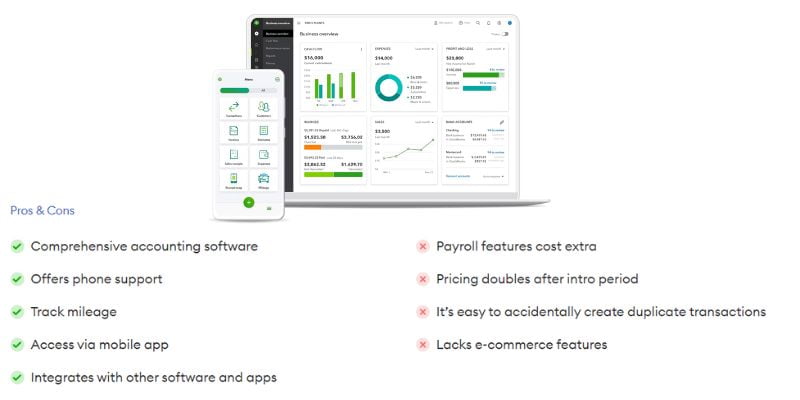
- The cloud-based access that QuickBooks Online provides offers the possibility of managing your finances from anywhere, at any time.
- Its powerful invoicing and payment tracking features will help you stay on top of your invoicing processes, thus making cash flow management easy.
- The software provides comprehensive reporting and financial analysis tools that allow you to get in-depth insights into the operation of your business, therefore making objective and informed decisions.
- QuickBooks Online can integrate with more than 650 third-party apps, so it can connect directly to the tools you are already using, thus creating a connected ecosystem.
- Automatic bank and credit card import of transactions ends up saving time and removing mistakes so much.
- Cost
-
FreshBooks
- Updated Cost
- Lite: $5.70/mo
- Plus: $9.90/mo
- Premium: $18/mo
- Choose option: For Custom.
- FreshBooks is 70% off for 4 Months

- Key Benefits
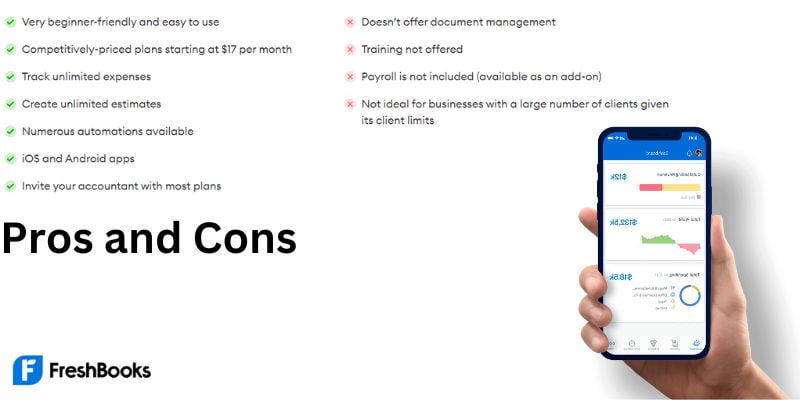
- A lot of people tend to choose FreshBooks due to its ease-of-use interface where it becomes simple to create invoices and track down expenses.
- The software generates late payment reminders and allows setting them up for recurring invoices so you are always on top of payments besides having a steady cash flow.
- Updated Cost
Also Read: Bookkeeping Basics for Small Business Owners | 2025
-
-
- FreshBooks impresses with time tracking and project management features, enabling you to invoice clients correctly and follow the development of projects.
- This feature allows you to generate personalized invoices and create a custom-branded client portal to maintain a professional appearance and encourage client engagement.
-
-
Xero
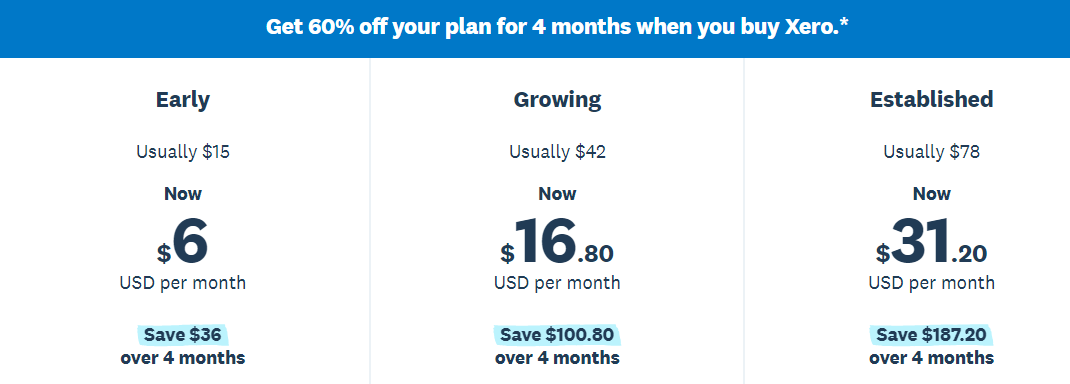
- Xero Updated Pricing Plan
- Early: $06/month
- Seeds: $16.80/month
- Harvest: $31.20/month
- Key Benefits
- Xero provides Complete Business Accounting and bookkeeping solutions with the main focus being Small Enterprises Team members can collaborate in real-time with unlimited users and update data in real-time. As a result, the financial risk is controlled and only the most accurate and up-to-date information is available.
- Automated bank feeds and reconciliation scan data for you, saving time and your precious fingers from manual entry which makes you more prone to errors.
- Xero possesses inventory management and project tracking tools to keep you organized and efficient at work and mobile devices for Android and iOS devices to get your account details sent to you if you are away.

- Xero Updated Pricing Plan
-
Zoho Books
- Zoho Pricing plan
- Basic: Free
- Standard fee: $12
- Professional: $24
- Premium: $36
- Elite: $1299
- Ultimate: $249

- Key Benefits
- Zoho Books has affordable pricing rates- this allows more businesses with budget constraints to take advantage of the product. Its invoicing and expense management functions better provide your transactions with straight and smooth financial needs of your operations.
- An automated bank feed and reconciling services will eliminate unnecessary data entry and minimize errors while the project and the time tracking functionality will assist you in accurately billing presented work.
- In addition to this, Zoho Books offers the support of both inventory management and purchase order systems which open up the way to ease and no rush of ordering every item from your suppliers.

- Zoho Pricing plan
-
Wave Accounting
- Cost
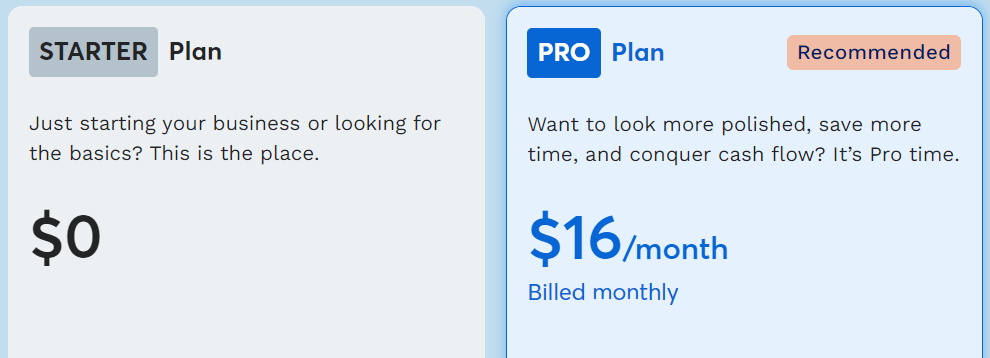
- There is a free option to start
- Paid plans starting at $16/month.
- Key Benefits
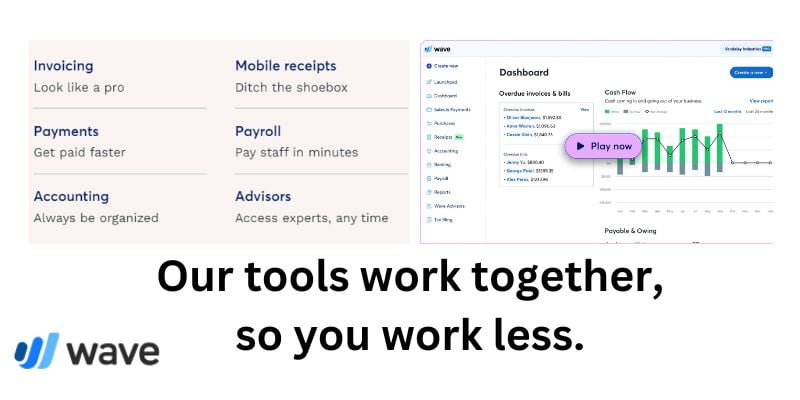
- Wave Accounting software is the cloud-based accounting software name and it is free. Thus, Wave Accounting is an alternative for small businesses which means they could save their budget for other operational costs.
- It provides an array of functions with examples like invoicing, scanning of receipts, support for different currencies, and the capability to accept credit card payments.
- Wave Accounting offers payroll solutions, which include responsibilities of payroll such as calculations and payments. Besides, Wave Accounting also provides lending options to make your financial management more efficient.
- Despite the free plan, Wave Accounting still offers essential features and is beloved by most users thereby considering it a preferred option for small businesses.
- Cost
-
Sage 50cloud Accounting
- Saga 50Cloud Accounting Updated Price
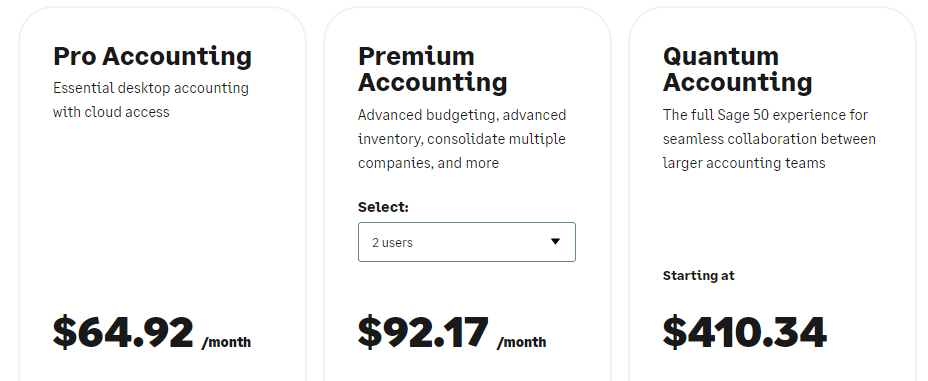
- Pro Accounting: $64.92/month
- Premium Accounting: $92.17/month
- Quantum Accounting: $410.34/month
- Key Benefits
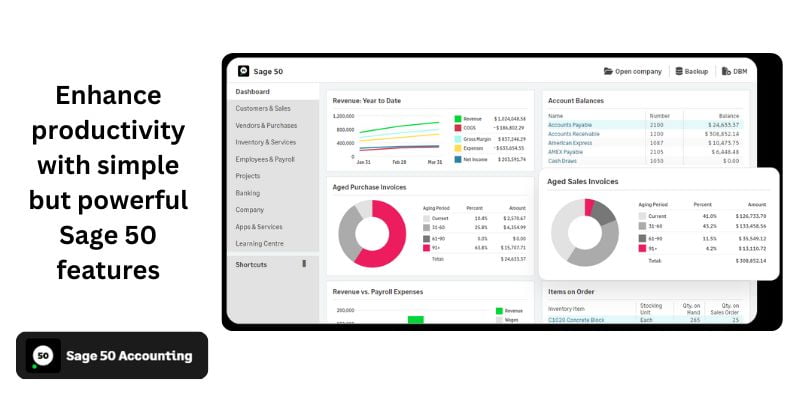
- The software is flexible enough to offer both desktop and cloud versions, which means different business entities can take advantage of the most suitable option.
- The program is as powerful as it is, and it can handle inventory, job costing, payroll, and multi-currency options, which makes it suitable for business that needs the features.
- Along with Sage 50cloudAccounting, the product is also featured with industry-specific properties that can be used to fit the specific flow of demands of different industries.
- Both mobile apps and cloud accounting software are widely used by businesses, and they can enable you to access your financial data at any time from anywhere which helps you stay updated on your debit and credit status.
- Saga 50Cloud Accounting Updated Price
-
GoDaddy Bookkeeping
- Cost
- Get Paid: $0.99 per month
- Character: $1.99 per month
- Plus: $2.99 per month
- Note: GoDaddy Bookkeeping has been discontinued as of June 23, 2022.
- Key Benefits
- GoDaddy Bookkeeping is both an inexpensive accounting tool and an accounting solution provider for small enterprises with subscription-based plans from $4.99/month. Its functions are invoicing expenditure tracking, time tracking, as well, and invoice management which streamlines your financial operations.
- Aside from bookkeeping, there is also an inbuilt tax support with GoDaddy Bookkeeping that ensures businesses are following the necessary regulatory framework. Probably, such apps are an important part of your financial data stream and you can find out the status of the business finances from any place.
- Cost
-
Kashoo
- Cost
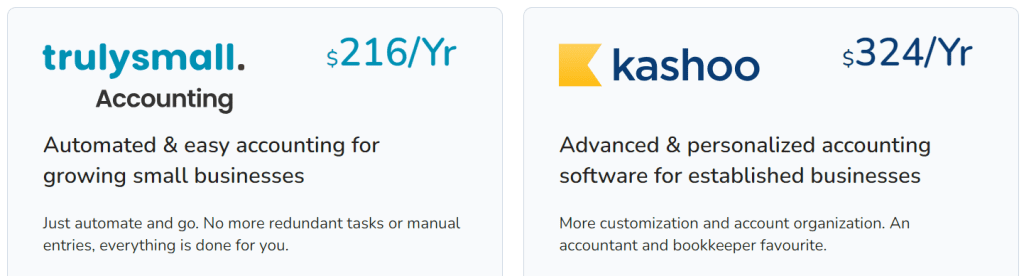
- Trulysmall.Accounting: $216 Per Year.
- Kashoo: $324 per Year.
- Key Benefits
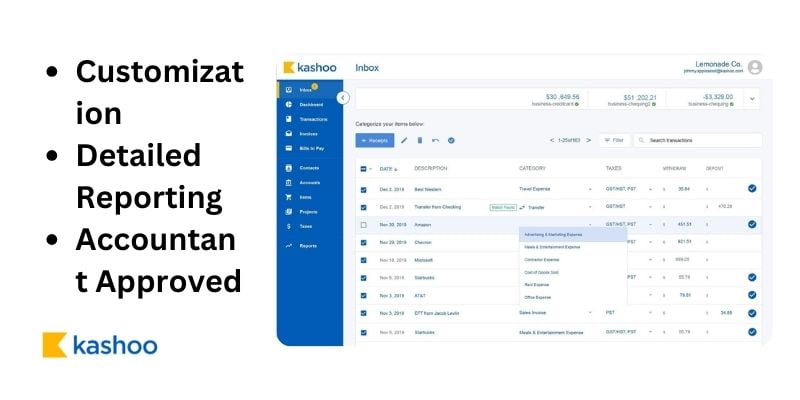
- Kashoo offers a user-friendly interface, from which entrepreneurs can easily manage the financial side of their business. The double-entry accounting of the tool ensures clear financial records, which in turn accelerates day-to-day operations such as the bank feed, invoicing, and expense tracking.
- Not only will the software tell you about your finances but go way farther than that to give you an inside look at what your business is all about, financially speaking.
- Apart from this, a mobile app enables you to keep track of your company accounts even when you might be on the move making sure you are updated with the current matters of your business finances.
- Cost
-
ZipBooks
- Cost
- Starter: Free
- Smarter: $15/mo
- Sophisticated: $35/mo
- Accountant: Custom pricing

- Key Benefits
- ZipBooks caters to the accounting needs of small businesses through functions such as invoicing, time tracking, management of expenses, as well as project management capabilities.
- Through its reporting tools, you get all-important information about your enterprise’s financial picture which allows making high-quality decisions. ZipBooks gives you unlimited users, making sure your team collaborates freely and well.

- Cost
Modest entrepreneurs will now undoubtedly be able to apply analytics and make decisions that cater to their specific needs and objectives in 2025.
Understanding Cloud-Based Accounting Software: Is it Well for Your Business?
The emergence of the accounting cloud software gives the accounting team convenience and always time-relevant and real-time financial information from any location at any given time.
The inculcation of this flexibility plays an essential role for small business owners who should make precise and apprising decisions on the run.
Moreover, cloud services integrate periodic updates and ensure your financial data is never outdated and safe. If your business is moving rapidly and operating along the lines of efficiency, a cloud-based accounting software package is most certainly a perfect fit.
What Are the Most Essential Accounting Software Features for Small Businesses?
The main features required in accounting software for small business are :
Invoicing and billing:
Invoice and billing systems configured in a way you could reduce outstanding debts and strengthen relations with your customers.
Expense tracking:
Easily evidence and classify business expenses making the financial management and tax preparation better.
Bank reconciliation:
Auto-reconcile bank and card transactions for precise financial records.
Reporting and analysis:
Produced customized reports and gained insights into the performance of your business.
Tax management:
Make calculating taxes easier, estimating payment obligations, and maintaining compliance with tax regulations.
Considering the main features of the software, small businesses will effortlessly find the software that best fits their business needs, easing the growth process.
Looking Forward to the Future | What’s Next?
In 2025, Wave Accounting will increasingly gain popularity among small businesses for the reason of providing free accounting software options.
The free accounting software which is the best will provide you with support for invoicing, expense tracking, and reporting. Sage 50 software, which has features that are developed for complex needs, will integrate advanced features like inventory management and job costing.
The decision on which accounting software to get will be essential, paying attention to cloud availability, the possibilities for real-time collaboration, and the smooth integration with business tools.
Throughout the digital revolution, industry-specific accounting systems will be created, that are tailored to each sector’s peculiarities. The accounting apps of 2025 will reward their users by focusing on comprehensive user-friendliness, automation, and scalability to adaptively accommodate business expansion.
Conclusion- best accounting software for small business of 2025
Choosing the most suitable accounting software is a key decision for a small business in 2025 that can deeply influence your financial management and the future success of your company.
Having a multitude of alternatives, it is advisable to evaluate your specific needs, money restrictions, and avenues for development.
This is one of the key benefits of offering a free trial. You can make full use of the trial to see whether the mother product marries well with your business practices and how it fills that particular gap in your accounting.
Through trials using free versions and making an informed decision based on careful research, you will be able to confidently select the right accounting software for your small business that will eventually power your business even more, by streamlining different financial operations, delivering insights, and facilitating sustainable growth and profitability.
FAQs
Why is online accounting software more suitable for small businesses than normal software?
Cloud-based software ensures that the latest financial data is constantly available from anywhere through the internet and without any security breaches because it is automatically updated and backed up. This makes it a reliable and realistic choice for small businesses.
Do free accountancy software programs have all of the small business I need?
Many free accounting software like Waves Accounting allow users to cover the basic requirements. Nevertheless, expansion at a certain point can demand you to pay for premium features to get proper financial management.
What considerations do accounting software with the rest of the business systems contribute to me?
In the case of integration systems, itself automates the exchange of data between systems, thus eliminating manually entering information, ensuring data accuracy, and providing one unified view of company income and expenditure.
Why is a traditional accounting entry system useful in accounting programs?
Double-entry accounting restrains financial negotiations, providing accountability and depending on the accounting records of the company, hence making it vastly important for financial reporting.
What is the guarantee against the accounting systems becoming ineffective or inapplicable when my business grows and my needs change?
Choose a software provider. that from scalable plans, additional features, and customization selections to help with your business growth and changing needs.